CUSTOM FEATURE · BUILT-IN AUTO BATTLE
Auto Hunt
A built-in auto battle. Turn it on and your character finds monsters, fights, uses skills and potions, and picks up loot by itself. The server runs it, so it follows the normal game rules.
- Where
- Auto button on the screen
- Cost
- Free
- Level
- Any level
- Saved
- Settings are kept per character
How to use it

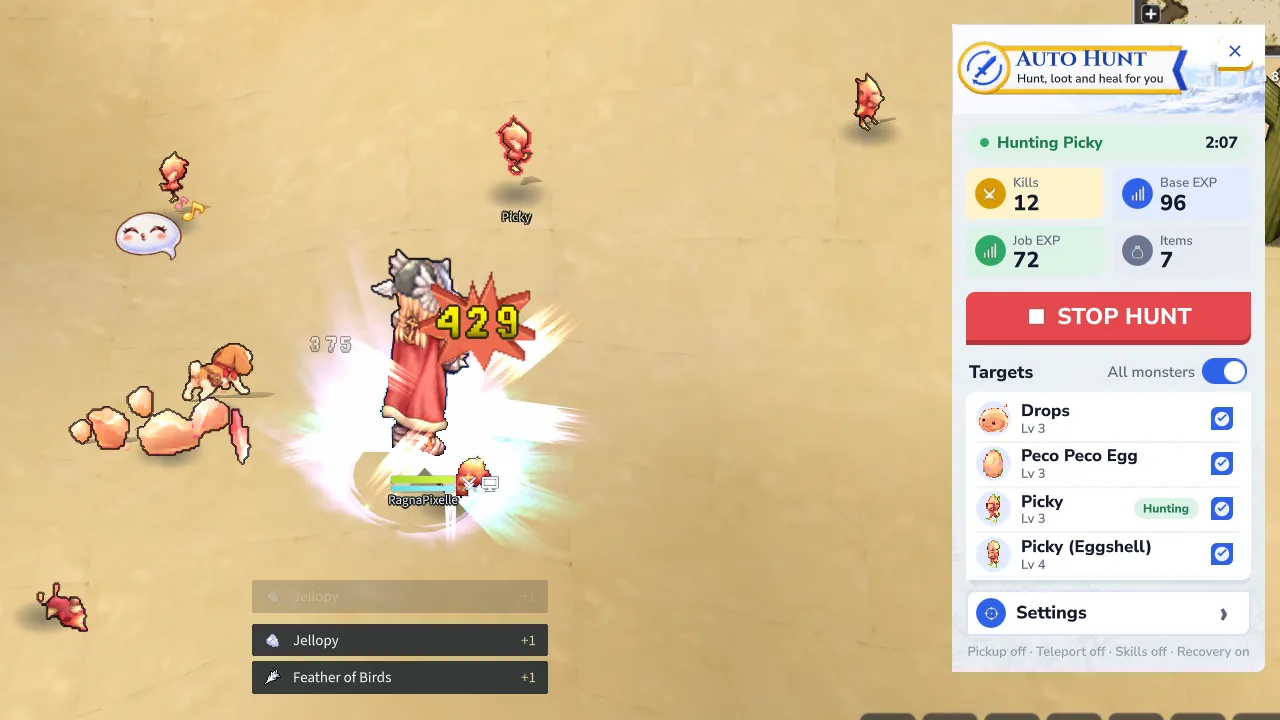
- Press the Auto button on the screen to open the Auto Hunt strip.
- Open Settings and choose your targets, combat, recovery and skills.
- Press Start Hunt. Press Stop Hunt at any time. Walking yourself pauses it for 2 seconds.
How it works

Targets
Every monster on the map, or tick only the ones you want.
Loot
Pick up first, Fight first or Don’t pick up. Loot is picked up within 14 cells.
Combat and range
Basic attack, Fight back, Protect party and Kiting for casters. Hunt the full map, a set range or in place.
Teleport and go home
Teleport when no target is found, when mobbed or at low HP, fly away from bosses, and go home when the bag is full.
Recovery
Potions and healing skills below the HP and SP you set. Recovery always comes first. Sit to rest is optional.
Skills
Tick the skills to use, their level and how often (every 1 to 60 seconds).
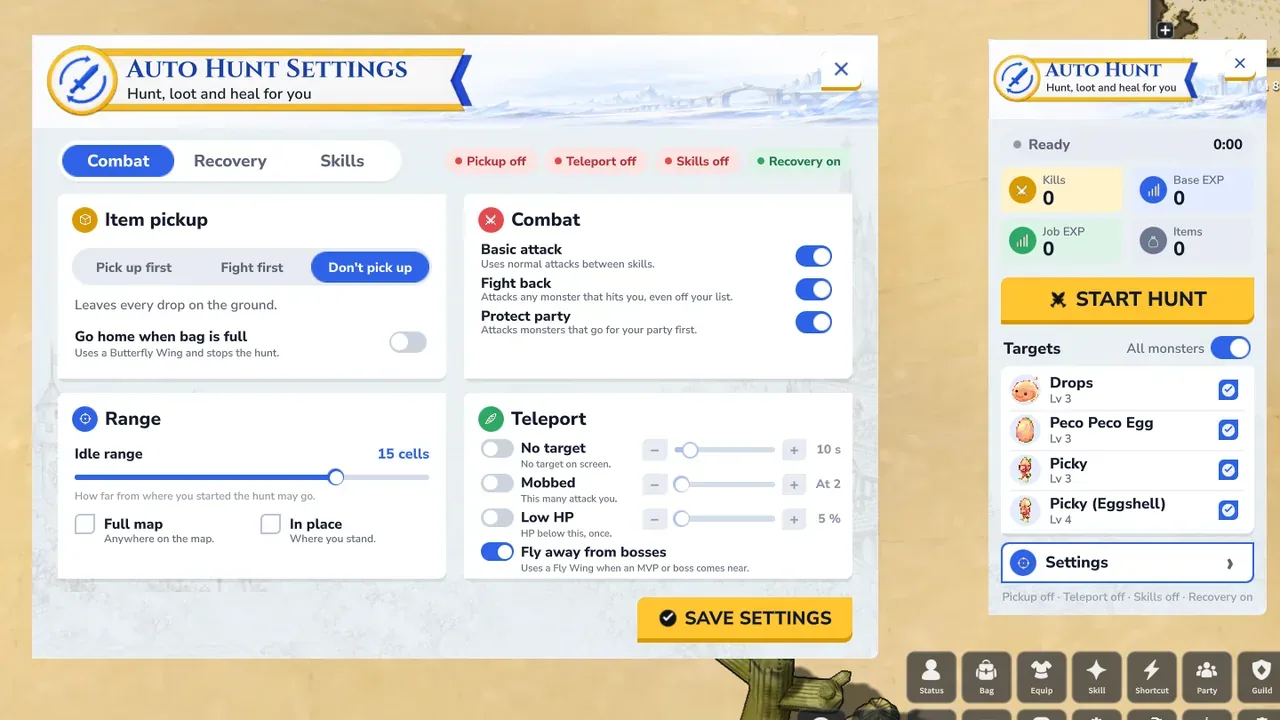
The strip shows the session time, kills, Base EXP, Job EXP and items. Other players see crossed swords above a hunting player. A full bag means 85% weight or no free slot.
Tips

Keep Fly away from bosses on when you hunt on MVP maps.
Carry Fly Wings and Butterfly Wings: the teleport and go-home options use them.
Mages and Acolytes: turn on Kiting so you step back to casting range.
Set the HP line higher (60–70%) on maps with strong hitters.